OnCampus App Gets a Major Update
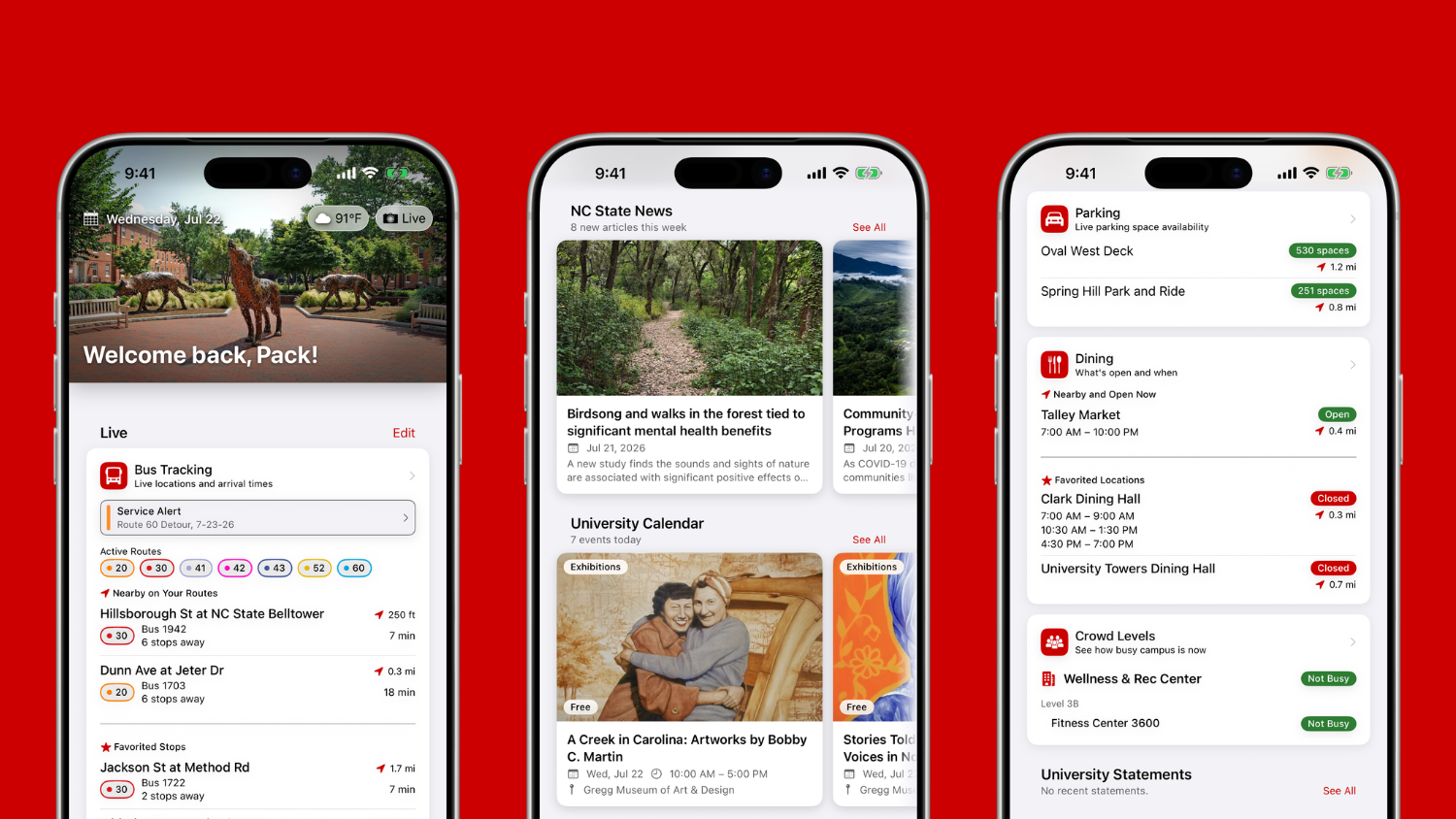
The Office of Information Technology has released a major update to OnCampus. The release improves Wolfline bus tracking, redesigned the home screen around live information and gives the app a fresh look, starting with a new icon.
Better Bus Tracking
The headline feature of this release is redesigned bus tracking. Buses follow their route paths on the live map with real-time arrival predictions and riders can plan trips directly to campus buildings and dining locations.
The map also shows GoRaleigh and GoTriangle regional buses alongside Wolfline, so riders connecting between campus and the rest of the Triangle can see their full trip in one place.
New Home Screen
The home screen has been redesigned to make it easier to access the information you care about most.. Favorite a bus stop, dining hall or gym to keep it front and center.
A New Icon
OnCampus has a new app icon — the recognizable circle wolf. If you see it on your home screen after updating, you’re on the latest version.
More in the App
If you haven’t explored OnCampus yet, the app also lets you:
- Navigate campus with redesigned map layers for parking, construction and bike facilities.
- See which dining halls, cafes and markets are open right now, sorted by what’s closest.
- Check real-time crowd levels at gyms and libraries before you go.
- Receive WolfAlert emergency notifications and follow the campus updates that matter to you.
- Browse events, university news and NC State media in one place.
Get the Update
OnCampus is available for iOS and Android. If you already have the app, update to the latest version and look for the circle wolf icon.
- Categories: